
WorldCard Enterprise1.8.1 - Google Play
You'll be able to see results in few seconds.
Publisher Description
[Product Information]
Designed for companies to build business contact information platforms. By recognizing the business card information, you can collect clients and suppliers’ information from each department and save these data inside the exclusive server of the company. Keep the cards information safe and sound without worrying the leakage of information. You can always add, search for, update and reach the contacts with iPhone and Android Phone. WorldCard Enterprise is definitely the optimal choice for companies to manage contact network.
[Function Features]
“Save contacts in the Cloud‧Create sustainable network”
- Immediately and automatically recognize contact information on the business cards after capturing the cards’ images. Fill in the contact fields automatically based on the properties of the recognized information, including name, company, department, job title, address, phone, e-mail, etc. All the information will be saved in the company’s server, and personnel transactions will not cause data loss any more.
- Precisely recognize various languages, including English, French, German, Italian, Dutch, Turkish, Polish, Hungarian, Russian, Swedish, Norwegian, Japanese, Korean, Finnish, Danish, Greek, Czech, Slovak, Traditional Chinese, Simplified Chinese, Spanish(Mexico & Spain), Portuguese(Portugal & Brazil), Czech, and Slovak. Make the operation of your company much more globalized.
“Set user account and permission independently‧Manage departments separately ”
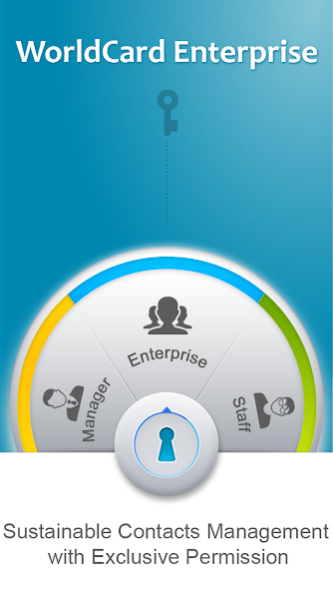
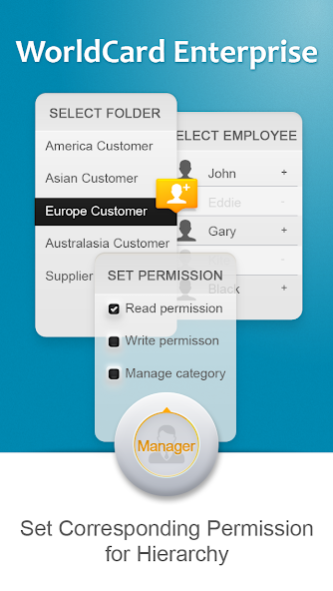
- Able to set individual account and permission, such as read, write card info and mange category. basing on each department or position requirement. Always keep the companies’ contact information up to date.
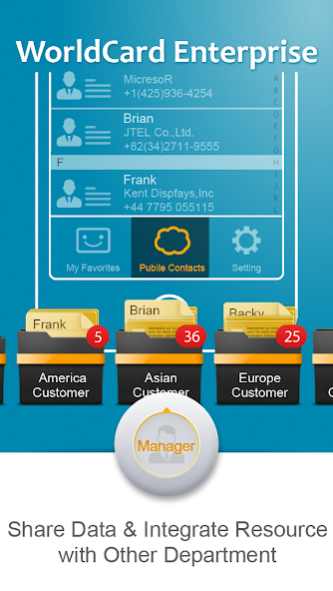
- The contact information can be saved in “My Favorites” area for quick access. Users can categorize clients’ information to work more efficiently.
“Synchronize local devices with the Cloud‧Manage on cell phone and computer simultaneously”
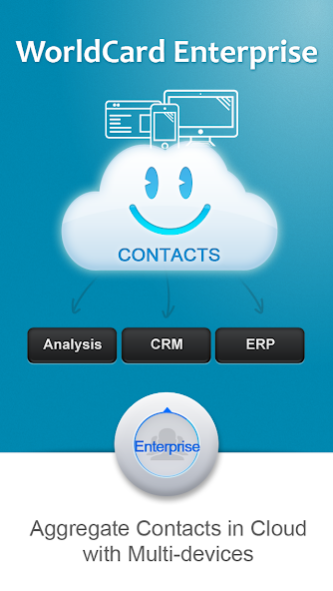
- Whether the card information is created on the cell phone or computer, users can use iPhone, Android phone, computer or web page to view the latest information at any time.
- Offer the customized interface on multiple platforms. The simple and intuitive operation allows all users to easily manage and quickly browse the cards information.
“Easy to Keep in Touch‧Link to social network account”
- Provide phone/video call function, send SMS, e-mails via cell phone to contact, congratulate or notify contacts. Quick click on the address fields to conduct route planning before meeting customers. Make the communication between you and your clients smooth and boundaryless.
- Automatically search for clients’ Facebook, LinkedIn, Twitter by name or e-mail address fields to narrow the distance between you and your clients.
Note: This app needs to work with WorldCard Enterprise server. If you are interested in the product, feel free to contact us at: wcc@penpower.net
About WorldCard Enterprise
The company that develops WorldCard Enterprise is Penpower Inc.. The latest version released by its developer is 1.8.1.
To install WorldCard Enterprise on your Android device, just click the green Continue To App button above to start the installation process. The app is listed on our website since 2018-12-20 and was downloaded 0 times. We have already checked if the download link is safe, however for your own protection we recommend that you scan the downloaded app with your antivirus. Your antivirus may detect the WorldCard Enterprise as malware as malware if the download link to com.penpower.bcr.worldcard.cloud is broken.
How to install WorldCard Enterprise on your Android device:
- Click on the Continue To App button on our website. This will redirect you to Google Play.
- Once the WorldCard Enterprise is shown in the Google Play listing of your Android device, you can start its download and installation. Tap on the Install button located below the search bar and to the right of the app icon.
- A pop-up window with the permissions required by WorldCard Enterprise will be shown. Click on Accept to continue the process.
- WorldCard Enterprise will be downloaded onto your device, displaying a progress. Once the download completes, the installation will start and you'll get a notification after the installation is finished.
Program Details
System requirements
Download information
Pricing
Version History
version 1.8.1
posted on 2018-12-20
- Add Thai recognition
- Bug fix
version 1.7.2
posted on 2016-07-31
1.Bug fix.,2.New function: Copy contacts of my favorite to the public category.
Disclaimer
Official Google Play Link
We do not host WorldCard Enterprise on our servers. We did not scan it for viruses, adware, spyware or other type of malware. This app is hosted by Google and passed their terms and conditions to be listed there. We recommend caution when installing it.
The Google Play link for WorldCard Enterprise is provided to you by apps112.com without any warranties, representations or guarantees of any kind, so access it at your own risk.
If you have questions regarding this particular app contact the publisher directly. For questions about the functionalities of apps112.com contact us.
